South Park LEGO Mosaic
A previous project focused on exporting LEGO mosaics to LDraw so they could be viewed properly in CAD: Fixing 3D Rotation in a LEGO Mosaic LDraw Exporter
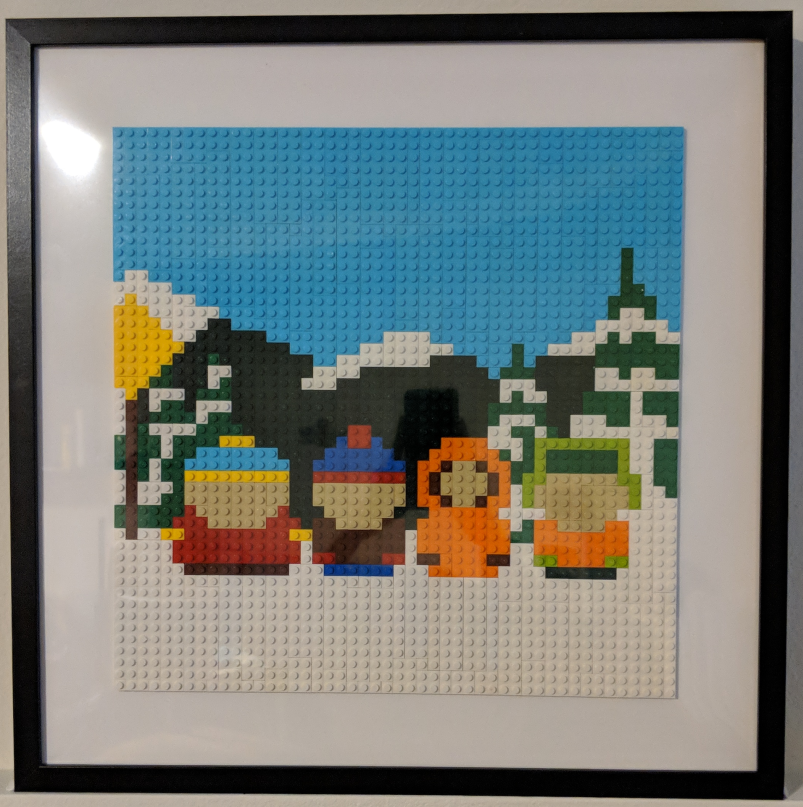
That work started with an actual mosaic build: a LEGO version of the kids at the bus stop from South Park.
Unlike the previous Snoopy build, the colours and their quantities were harder to think about, so I needed to find a solution to figure out how to source the pieces more efficently
Starting With Pixel Art
The original South Park art style is already close to pixel art. The characters are flat, use strong outlines, and are made from simple blocks of colour, which makes them a good fit for a LEGO mosaic.
I drew the scene as pixel art, treating the studs on a LEGO baseplate as pixels. The final image had to fit the physical dimensions of the baseplate, so the grid was not just an artistic constraint: it defined the size of the finished model. The only thing I couldn’t draw were the faces since Lego lacked the resolution at that size.
The scene shows the kids standing at the bus stop, recreated with coloured LEGO pieces rather than individual pixels on a screen.
From Pixels to Bricks
Once the artwork was ready, I ran it through BrickifyFX.
BrickifyFX can combine adjacent pixels of the same colour into larger pieces. Instead of representing a rectangular patch as several small bricks, it can replace that area with a single larger piece where the geometry allows it.
Generating the Parts List
The conversion step also produced a bill of materials: a list of the required part types, colours, and quantities.
That is the point where the project changes from a digital image into something that can actually be built. A mosaic may look simple on screen, but the parts list can include many different colours and quantities that are not convenient to find by hand.
Finding the Pieces
Having a parts list does not mean the pieces are easy to buy.
The required bricks may be spread across multiple sellers, and the cheapest price for an individual piece does not necessarily create the cheapest overall order once postage and the number of stores are considered.
To handle that, I ran the bill of materials through Brickficiency. It queried BrickLink listings for the required parts and searched for a combination of sellers that could fulfil the order at a reasonable total price.
One hiccup I encountered was the the mosaic generated a “flesh tone” LEGO colour, which was absurdly expensive at $5 for a 1x1 plate. Luckily, I found “tan” which looked close enough and it had normal prices.

From Image to Build
The whole process was a useful chain of small tools:
- Draw the scene as pixel art.
- Match the pixel dimensions to a LEGO baseplate.
- Convert the image into larger, buildable LEGO pieces with BrickifyFX.
- BrickyFX generates a bill of materials.
- Use Brickficiency and BrickLink listings to source the pieces.
- Build the mosaic.
The result was a physical version of the South Park bus-stop scene, built from a design that began as pixel art and became a list of real LEGO pieces.
The later LDraw exporter work grew out of this same project. Once a mosaic can be generated and purchased, being able to inspect its layout in CAD becomes a useful final step before building it.